Logging on to Mediatr
Overview
Section titled “Overview”MediatR provides a web interface which allows you to examine transactions that have been submitted by your organization.
Logging on
Section titled “Logging on”-
Navigate to https://mediatr.healthinc.com.au/
-
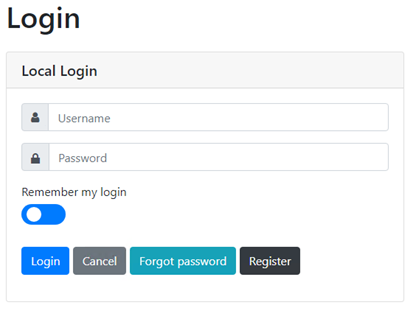
Enter your username and password when prompted
-
Click the Login button
If you have lost your password you can initiate recovery of it by clicking on the Forgot Password button.
If using a shared computer, do not use the Remember my login slider, and remember to logout when finished.
Was this guide helpful?
Help us make these instructions clearer and more useful.
Opens an email to Healthinc support with this page linked. No rating is stored automatically.