Navigating Mediatr
 Updated
by Aaron Glover
Updated
by Aaron Glover
Overview
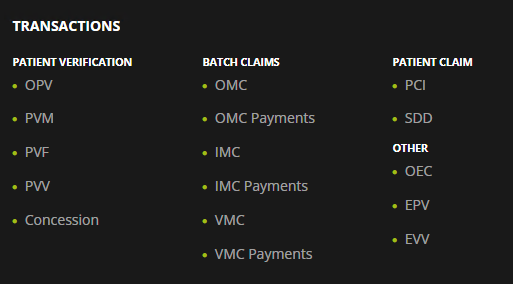
The MediatR site is organised by in large through the separation of transaction types.
Navigation through the MediatR site we hope is obvious, intuitive, and convenient and can typically be achieved in one of three ways:
- Menu Bar Navigation; via the menu bar at the top of all pages
- Footer Navigation; via links in the footer of all pages
- Home Page Navigation; via links on the home page.
Menu Bar Navigation
The menu bar at the top of the screen contains the following links.

Home
This is the page you see when you first log on. There are links to all the individual transaction types from here.
Transactions
You can select categories (Inpatient Medical Claims, etc.) from the left of the list, and then a particular claim type from the right, e.g. IMC Claims.
User Guides
Links to these guides.
Profile
The contains information about your user account, e.g. Organisation name, Location Minor ID, Permissions and Paid modules.
Logout
Select this at the end of your session, particularly if you are using a shared computer.
Footer Navigation
There are also direct links to all the transaction types via the footer.